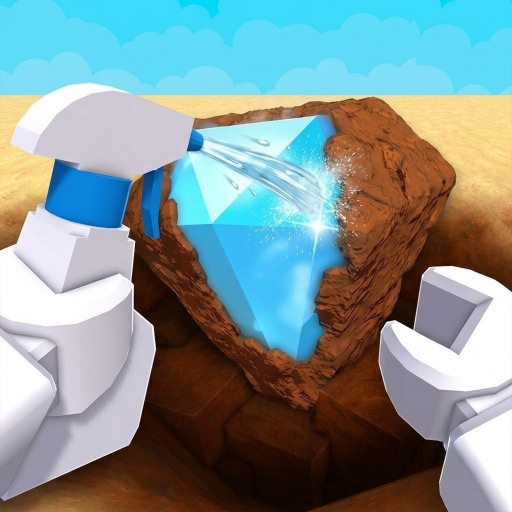
⛏️ “Dig”
Dig up dirty junk and buried treasure. The official description establishes digging as the first step of the loop. (official; checked 2026-09-06)
How to play Dig & Clean from your very first spawn: the official dig-spray-reveal loop explained, your first upgrades, the early mistakes that waste gold, and a checklist for your first 30 minutes.
Quick answer
Spawn in, walk to a dig spot and dig up a dirty find, spray it clean to reveal its rarity, sell or display it for Gold, then spend that Gold on a better shovel and spray bottle. That loop — dig, spray, reveal, upgrade — is the whole game, and your first 30 minutes should touch every part of it once.
How we verified this
The five loop steps below are quoted verbatim from the official game description. Official
Last checked: August 2026
This is the entire game in the developer's own words, with a plain-English note on what each step means for a new player.
Dig up dirty junk and buried treasure. The official description establishes digging as the first step of the loop. (official; checked 2026-09-06)
Spray finds clean to reveal what they are. The official description establishes cleaning as the reveal step. (official; checked 2026-09-06)
The official description says players hunt for the rarest items in the game. Exact rarity odds and item catalogs are not published. (official; checked 2026-09-06)
The official description says players can show off their best finds in their own museum. (official; checked 2026-09-06)
The official description confirms better shovels and spray bottles. Individual names, prices, and stats are not verified. (official; checked 2026-09-06)
The exact dig and spray buttons differ per device — the game shows the correct prompt for your platform on screen. Server-size metadata was not refreshed in Phase A Manual test required, so move to another patch when a spot is occupied.
A community video published August 4 uses the phrase 'end the game fast and easy' and links the correct Roblox place. That shows completion-guide demand, but it does not establish an official ending condition. Treat filling the museum and reaching higher gear as progression goals, not a verified final checklist.
Follow this sequence on your first login and you will have seen every core system once.
You spawn with starter gear. Walk to the nearest open dig spot; if another player is using it, move to a different patch.
Use your shovel on the spot with the interact prompt your platform shows. Everything you pull up is dirty and unidentified — that is normal.
Cleaning is the reveal step. Spray each dirty item and its identity — and rarity — finally shows. Never skip this.
Commons are your gold income — sell them. Anything that looks rare goes to your museum instead. When unsure, keep it: gold is re-farmable, rares are not.
Spend gold on the two gear tracks — shovel and spray bottle. Upgrade whichever felt slower during your first loop, and keep the two tracks roughly even.
Each upgraded tier makes the next dig-clean-sell cycle quicker. That compounding is the entire game — you are now playing it correctly.
Most lost progress in week one comes from four habits — all easy to dodge once you know them.
Rarity only reveals after cleaning (official: 'Spray it clean and find out what it is!'). Selling dirty or unchecked finds can throw away a museum-grade rare without you ever knowing.
New players over-buy shovels because digging feels like the game. But the spray bottle gates how fast each dig actually pays out — a fast shovel with a slow bottle just builds a backlog of dirty items.
A stockpile of dirty items is unknown value sitting idle. Clean as you go so every dig either funds your next upgrade or fills a museum shelf.
DIG, Dig It, and browser games with slash-chat codes are different games. Use only the three current strings and Shop flow on this site's dedicated Dig & Clean codes page.
Tick these off in one sitting and you are past the beginner phase.
Three spots where new players most often jam up — and the fastest way out of each.
Follow the on-screen prompt for your platform — the game highlights the dig interaction when you stand on a dig spot. If nothing appears, walk to a different patch of ground; the live server-size metadata was not normalized in Phase A.
Nothing is revealed or sold until it is sprayed. If your bag fills with dirty finds, stop digging and clean the backlog first — cleaning is the payout step, so an uncleaned find earns zero Gold.
Sell duplicate or low-rarity finds instead of displaying everything in the museum, and run short dig-spray-sell loops near spawn. The progression guide explains which upgrade track to push first.
Follow the official loop: dig up dirty finds, spray them clean to reveal what they are, keep rares for your museum, sell the rest for gold, and buy better shovels and spray bottles.
Walk to a dig spot with your shovel equipped and use the interact prompt your platform shows. The game supports Mobile, Tablet, PC, and Console, so the exact button differs by device.
Because cleaning is the reveal step — the official description is 'Spray it clean and find out what it is!' A dirty item's rarity is unknown until you spray it, so skipping cleaning means throwing away unknown value.
Heuristic: upgrade whichever track is lagging. If digging feels slow, buy the shovel tier; if cleaning is your bottleneck, buy the spray bottle tier. Keep the two roughly even early on.
Yes. The current code page lists UPDATE2 (5 Instant Cleans), UPDATE1 (2x Luck for 30 minutes), and SECRET10 (10x Luck for 10 minutes), plus the source-corroborated Shop redemption steps.
Also searched as: Dig and Clean how to play, Dig and Clean beginner guide, Dig and Clean how to dig, Dig and Clean end the game, Dig and Clean mobile.